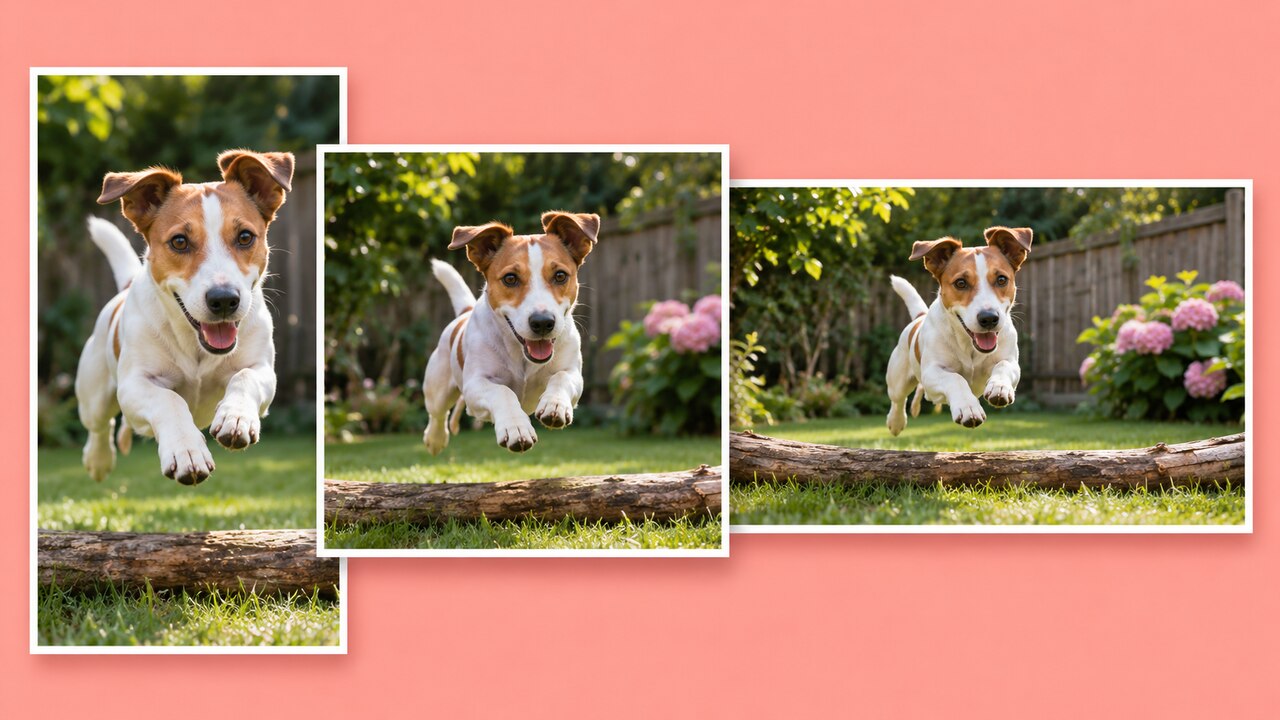
The fastest way to make a good pet clip look bad is to publish it in the wrong shape: a vertical moment letterboxed into a square, a wide shot crushed into a phone screen. Every platform has a ratio it treats as native, and the fix costs nothing if you do it at the start — generate in the ratio you're going to publish.
The cheat sheet
- Instagram Reels, TikTok, YouTube Shorts: 9:16 vertical. 1080×1920 is the standard. Full-screen, sound-on, the native habitat of pet clips.
- Instagram feed: 4:5 portrait or 1:1 square. 4:5 takes the most vertical space a feed post allows without being cropped; 1:1 is the safe classic.
- Stories (all platforms): 9:16. Same as Reels, with safe margins top and bottom for the UI — keep the pet out of the outer tenth of the frame.
- YouTube proper, landscapes, TV: 16:9. 1920×1080. For anything watched on a screen wider than it is tall.
- Messages and email, prints' QR codes, embeds: 1:1. The neutral shape that fits anywhere.
The video generator offers all of these ratios plus a few more (4:3, 3:4, 4:5, 21:9) — pick the destination's ratio before the first render, not after.
Why not just crop later?
Because cropping a generated clip throws away composition you deliberately chose. Your photo's start frame put the pet's eyes on a third-line, the negative space where motion happens, the tail that's about to sway — a later crop to 9:16 can slice off any of them. Rendering in the target ratio means the model composes for that shape from frame one.
This is also why the source photo matters: for a vertical clip, a vertical or square photo gives the model room; a wide horizontal photo squeezed into 9:16 will either crop hard or invent vertical space.
Resolution: what's enough?
- 720p drafts, 1080p keepers is the honest default for social. Draft motion at 720p in Fast, render the final at 1080p — on screens six inches wide, the difference between 1080p and 4K is mostly file size.
- 4K earns its credits when the clip is destined for a big screen, a projector, or as the moving half of a printed-piece showcase. The model guide shows which models render which resolutions.
Length, while we're sizing
Reels and Shorts reward 5–15 seconds — exactly the range the live models generate in one run. TikTok tolerates longer but doesn't require it. For a pet moment, shorter with one clean motion beats longer with two; the motion ideas guide pairs lengths with ideas.
Frequently asked questions
Can one clip work everywhere?
A 1:1 square is the best single compromise for feeds and messages. But if Reels or TikTok is the main destination, make 9:16 the primary render and treat other crops as secondary — not the other way around.
Why did my vertical clip get borders on a friend's phone?
It was probably 4:5 rather than 9:16, or 9:16 rendered at a lower height than the screen. True 1080×1920 fills every current phone screen edge to edge.
Does the aspect ratio change the cost?
Cost is quoted per second with resolution, and the generator shows the exact quote before each run. Changing ratio and re-rendering costs the same as any rerun — which is the practical argument for choosing the ratio once, up front.